30 August 2026
Cloud Versus Local Food Data, Compared
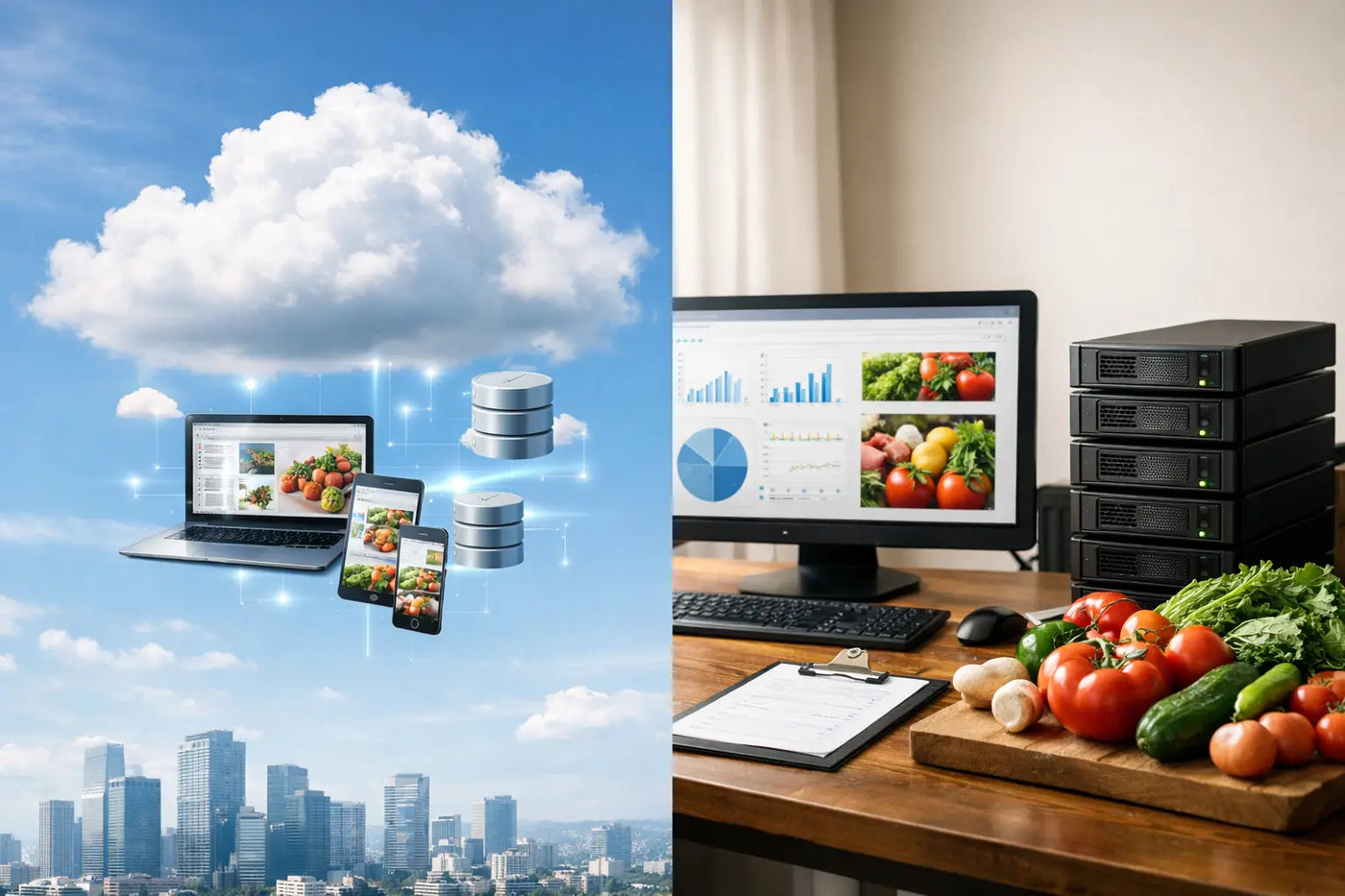
A meal plan can look ordinary on screen: chicken on Tuesday, pasta on Thursday, a grocery list for Saturday. But the information behind it is more personal than it first appears. Cloud versus local food data is really a choice about who holds your household routines, health details, spending patterns, and cooking history.
That choice affects what happens when the internet goes out, an app changes its pricing, a company closes a feature, or you simply want to keep planning dinner without signing in. Neither approach is automatically right for every household. The useful question is simpler: what level of convenience do you want, and what level of control are you willing to give up for it?
What food data actually includes
Food planning data is not just a folder of recipes. Over time, it becomes a record of how your household runs. It may include weekly meal schedules, favorite meals, pantry quantities, expiration dates, grocery purchases, price history, nutrition totals, serving sizes, dietary restrictions, and allergy flags.
Put together, those details can reveal a great deal. They show what you eat, when you are home, which foods you avoid, what you spend, and sometimes health-related goals or needs. A grocery list may feel low stakes. A year of meal plans is a different kind of record.
That is why the storage decision deserves more attention than a small settings toggle. It shapes your daily workflow and your long-term independence.
Cloud versus local food data: the real difference
Cloud-based meal planning tools store your information on a company’s servers. You generally create an account, sign in, and access the same data from multiple devices. The company manages the servers, software updates, synchronization, and often the backup process.
Local tools keep information on your own device, commonly in the browser or in files you control. They can work without an account or internet connection. You are responsible for keeping a backup, but you also decide where that backup lives and who can access it.
The distinction is not cloud equals bad and local equals perfect. Cloud storage solves genuine problems. Local storage solves different ones. The right choice depends on what causes more friction in your life: managing a backup or depending on a service.
What the cloud does well
Cloud software is built for access. If you plan meals on a laptop, check a list on your phone, and share it with someone across town, automatic syncing is useful. Sign in, and your latest plan is usually there.
It can also reduce the burden of device failure. If a phone is lost or a computer breaks, you can often restore your information by logging in again. For households that need several people editing the same plan at the same time, cloud collaboration can be the practical choice.
There is a trade-off. Access depends on an account, a working service, and usually an internet connection. The company also controls the terms around your data, product changes, and sometimes the ability to export what you have built. A free plan can become paid. A useful feature can move behind a subscription. An app can be redesigned around priorities that are not yours.
Cloud tools may also collect usage information beyond the meal data itself, depending on their policies and settings. That can include device details, activity patterns, and analytics tied to your account. Some households are comfortable with that exchange. Others would rather not make it.
Why local data feels different
Local storage removes a layer between you and your planning system. You open the tool and use it. No account. No password reset. No waiting for a server to respond before you can see what is for dinner.
This matters most in routine moments. You are in the kitchen. The Wi-Fi is down. You are standing in a grocery aisle with a weak signal. You want to check whether you already have cumin or compare the price you paid last month. A local tool remains available because your information is already with you.
It also creates a cleaner ownership model. Your recipes, plans, pantry records, and nutrition notes are not held inside a subscription relationship. You can keep using the system without wondering whether another monthly charge is coming or whether a company will still support the exact workflow you rely on.
LARDER follows this model as a browser-based, downloadable HTML workspace. It runs offline and stores food-planning information locally in your browser, with JSON and CSV backups available for records you want to keep outside the browser as well. The point is not technical novelty. The point is a meal-planning system that remains yours.
Local does not mean no backup needed
This is the part that should be stated plainly: local data is private and independent, but it is not indestructible.
A damaged device, a cleared browser, an accidental reset, or a lost laptop can remove local browser data. That is not a reason to avoid local tools. It is a reason to create a simple backup habit. A backup is how local control becomes durable control.
For most households, this can be uncomplicated. Export your data periodically, especially after building a useful recipe collection, updating pantry inventory, or setting up recurring meal plans. Keep the exported JSON file somewhere you control, such as an external drive or a personal storage location. A CSV export can also preserve practical records such as ingredients, prices, or lists in a readable format.
You do not need to back up every grocery-list change. Once a month is often enough for a stable household system. If you are doing a major reset, adding dozens of recipes, or preparing for a move to a new computer, make another copy first.
The important distinction is this: a cloud provider backs up data for you under its system. Local software lets you decide the backup location and schedule. One is less hands-on. The other gives you more authority.
Privacy is more than secrecy
People sometimes hear “privacy” and assume it means they have something to hide. That misses the point. Privacy is the ability to keep ordinary personal information ordinary.
Your food data does not need to be embarrassing to deserve boundaries. A family’s allergy notes, calorie targets, pregnancy-related food restrictions, children’s eating preferences, and grocery budget are not public business. They are operational details of a home.
Local food data supports a quieter model. You can use the planning tool without turning your household routine into an account profile. There is no requirement to connect, no need to provide an email address just to organize dinner, and no reason for a meal plan to become another source of tracking.
For privacy-oriented households, that can be the deciding factor. For others, it may simply be a welcome benefit alongside offline access and no recurring fees.
Choose based on your household, not a feature checklist
A cloud tool may fit if real-time shared editing across several devices is essential, you do not want to think about backups, and you are comfortable maintaining an account. It can be especially useful when people in different locations need to update the same plan throughout the week.
A local tool may fit better if you plan primarily from one computer, want reliable offline access, prefer to own your records, or are tired of turning basic household tasks into subscriptions. It is also a strong fit when one person does most of the planning and needs a dependable workspace rather than a social platform.
Some households can use both models intentionally. They may keep a shared, simple shopping note for coordination while maintaining recipes, pantry records, price history, and nutrition planning locally. The goal is not ideological purity. It is reducing the number of places where essential household information can get stuck.
Make the choice useful this week
Before choosing a system, ask a few practical questions. Can you access your plan without internet? Can you export the data in a format you can keep? What happens if you stop paying? What information does the service require before you can begin? And if you needed to move to another tool next year, could you take your recipes and records with you?
Those answers matter more than a long feature list. The best meal-planning system is the one that makes dinner easier on a busy Wednesday and still respects your choices six months later.
Your food routine should not be held hostage by a login screen. Keep the information close enough to use, clear enough to trust, and backed up well enough to carry forward when the rest of life changes.